
Accounting Automation Tools
Accounting has evolved far beyond manual bookkeeping and spreadsheet-based financial management. Modern businesses now rely on accounting automation tools to eliminate repetitive tasks, reduce errors, and improve financial accuracy. Instead of spending hours entering transactions, reconciling bank accounts, or generating invoices, organizations can automate these processes and focus more on strategic decision-making. Whether you operate as a freelancer, manage a growing startup, or oversee the finances of a large enterprise, automation can significantly increase efficiency while saving valuable time.
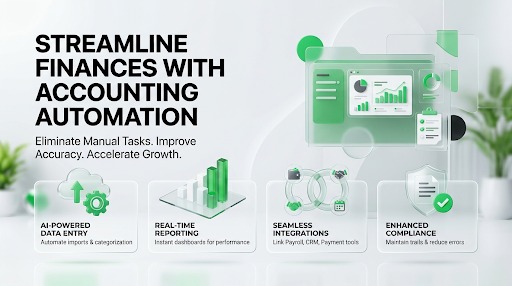
Today’s accounting automation platforms use intelligent workflows, artificial intelligence, and cloud technology to simplify financial operations. They automatically import bank transactions, categorize expenses, match payments, generate invoices, reconcile accounts, and produce financial reports in real time. Many tools also integrate seamlessly with payroll systems, payment processors, customer relationship management (CRM) software, inventory management platforms, and e-commerce applications. This interconnected ecosystem reduces manual data entry and provides a single source of financial truth across the organization.
With numerous automation solutions available, selecting the right platform can be challenging. Some tools prioritize invoicing and bookkeeping, while others provide enterprise-level financial management, compliance, and forecasting capabilities. This guide explores the leading accounting automation tools in 2026, compares their strengths and limitations, and explains how to choose software that aligns with your business goals and operational requirements.
What Are Accounting Automation Tools?
Accounting automation tools are software applications that use technology to perform financial tasks with minimal manual intervention. Rather than requiring users to record every transaction individually, these systems automate routine accounting processes such as bank reconciliation, expense categorization, invoice generation, payment reminders, recurring billing, tax calculations, and financial reporting. By reducing repetitive work, automation improves both productivity and financial accuracy.
Most modern accounting automation platforms are cloud-based, allowing users to access financial information securely from any location with an internet connection. Because software providers manage updates, backups, and security enhancements automatically, businesses always benefit from the latest features without installing new versions manually. Real-time synchronization ensures accountants, bookkeepers, and business owners work from the same financial data, improving collaboration and reducing communication delays.
Automation also enhances compliance by maintaining organized financial records and reducing human errors that often occur during manual bookkeeping. Built-in audit trails, approval workflows, and customizable reporting help businesses meet regulatory requirements while improving transparency. As organizations continue embracing digital transformation, accounting automation has become an essential component of efficient financial management.
Why Businesses Are Adopting Accounting Automation
Organizations of every size are embracing accounting automation because it enables finance teams to accomplish more with fewer manual processes. Traditional bookkeeping often involves repetitive tasks such as entering invoices, matching bank transactions, reconciling accounts, and preparing monthly reports. These activities consume valuable time that could otherwise be spent analyzing financial performance or supporting business growth. Automation removes much of this administrative burden by completing routine tasks quickly and consistently.
Another major factor driving adoption is the increasing need for real-time financial visibility. Business owners no longer want to wait until the end of the month to understand cash flow or profitability. Automated accounting systems provide up-to-date dashboards and reports that allow decision-makers to monitor financial performance continuously. This immediate access to information supports faster budgeting decisions, improves cash flow management, and helps identify potential financial issues before they become significant problems.
Automation also strengthens collaboration across finance departments and external accounting firms. Cloud-based platforms allow multiple users to work simultaneously while maintaining accurate version control and secure access permissions. Whether employees work remotely or from different office locations, everyone can access the same financial information, improving communication and operational efficiency.
Key Benefits
Accounting automation offers numerous advantages that extend well beyond reducing paperwork. Automated workflows improve bookkeeping accuracy, eliminate duplicate data entry, accelerate invoice processing, and simplify financial reporting. Businesses also benefit from faster month-end closing processes and improved compliance through consistent recordkeeping.
Some of the most valuable benefits include:
- Automatic bank transaction imports
- AI-powered expense categorization
- Automated invoice creation
- Recurring billing
- Bank reconciliation
- Real-time financial reporting
- Cash flow monitoring
- Tax calculation support
- Multi-user collaboration
- Integration with payroll and CRM software
- Reduced bookkeeping errors
- Increased productivity
These capabilities allow finance professionals to shift their attention from repetitive administrative work toward strategic planning, forecasting, and business growth.
Potential Challenges
Despite the many advantages of automation, businesses should also consider several implementation challenges. Migrating data from existing accounting systems may require careful planning, particularly for organizations with years of historical financial records. Employees accustomed to manual bookkeeping processes often need training before they can confidently use automated workflows.
Subscription costs can also increase as businesses require additional users, premium features, or advanced reporting capabilities. Integration compatibility should be evaluated carefully to ensure existing software systems communicate effectively with the new accounting platform. Businesses should also review security standards, backup procedures, and customer support before selecting a provider to ensure long-term reliability and compliance.
Essential Features to Look For
Choosing the right accounting automation software begins with understanding which features will provide the greatest value for your organization. At the core of every effective platform are automated bank feeds, invoice management, expense tracking, and financial reporting. These functions significantly reduce manual bookkeeping while providing accurate financial insights that support informed business decisions.
Beyond basic accounting capabilities, businesses should evaluate workflow automation, recurring billing, approval processes, AI-assisted expense categorization, inventory management, payroll integration, and tax compliance tools. Integration with payment gateways, customer relationship management systems, e-commerce platforms, and project management software can further improve efficiency by eliminating duplicate data entry across multiple applications.
Scalability should also play an important role in the selection process. As businesses grow, accounting requirements become more complex, making it essential to choose software that can accommodate increasing transaction volumes, additional users, expanded reporting needs, and evolving compliance requirements. A flexible automation platform provides long-term value while reducing the need for disruptive software migrations in the future.
Best Accounting Automation Tools in 2026
QuickBooks Online
QuickBooks Online remains one of the industry’s leading accounting automation platforms due to its comprehensive feature set and extensive integration ecosystem. Designed for freelancers, startups, and small to medium-sized businesses, the software automates many routine accounting processes, including bank reconciliation, expense tracking, recurring invoices, payment reminders, payroll integration, and financial reporting.
One of QuickBooks Online’s greatest strengths is its ability to connect with hundreds of third-party business applications. Whether a company uses payment processors, inventory management systems, CRM software, or e-commerce platforms, QuickBooks can often integrate seamlessly, reducing manual data entry across the organization. Automated bank feeds continuously import financial transactions, while intelligent categorization simplifies bookkeeping and improves reporting accuracy.
The platform also offers customizable dashboards and advanced financial reports that provide valuable insights into profitability, cash flow, expenses, and overall business performance. Combined with strong customer support and widespread adoption among accounting professionals, QuickBooks Online continues to be one of the most trusted accounting automation solutions available.
Xero
Xero has established itself as one of the most innovative cloud accounting platforms by combining automation, collaboration, and ease of use within a clean, intuitive interface. It is particularly well suited for growing businesses that require efficient financial management while supporting multiple employees and external accountants. Many subscription plans include unlimited users, making Xero especially attractive for organizations with expanding finance teams.
Automation features include bank reconciliation, recurring invoices, expense management, bill payments, project accounting, inventory tracking, and customizable financial reporting. Xero’s smart reconciliation engine matches bank transactions with accounting records quickly, reducing manual bookkeeping while improving accuracy. Businesses can also automate payment reminders, recurring billing schedules, and approval workflows to streamline daily financial operations.
Another major advantage is Xero’s extensive marketplace of third-party integrations. Businesses can connect payroll services, customer relationship management software, payment gateways, e-commerce platforms, inventory systems, and productivity tools with minimal configuration. This flexibility enables organizations to build a connected financial ecosystem that supports growth while minimizing repetitive administrative work.
Zoho Books
Zoho Books has become one of the leading accounting automation tools for small and medium-sized businesses thanks to its powerful workflow automation and competitive pricing. It is especially valuable for companies that already use other Zoho applications, such as Zoho CRM, Zoho Inventory, or Zoho Projects. Because these products integrate seamlessly, businesses can automate the flow of information between departments without relying on manual data entry.
One of Zoho Books’ biggest strengths is its customizable automation engine. Users can create recurring invoices, schedule payment reminders, automate expense categorization, set approval workflows, and generate recurring financial reports. These automated processes reduce repetitive bookkeeping tasks while improving consistency and accuracy. The platform also includes bank reconciliation, inventory management, tax calculations, and customer portals, allowing businesses to manage finances from a centralized dashboard.
The software’s mobile application adds another layer of convenience by enabling business owners to send invoices, approve transactions, monitor cash flow, and upload receipts from anywhere. Combined with its affordability and extensive automation capabilities, Zoho Books is an excellent choice for businesses seeking to improve financial efficiency without investing in expensive enterprise software.
Sage Intacct
Sage Intacct is an enterprise-grade cloud accounting platform designed for organizations that require advanced financial management, compliance, and reporting capabilities. Unlike entry-level bookkeeping software, Sage Intacct focuses on automating complex accounting processes across multiple departments, business entities, and geographic locations.
Automation is deeply integrated throughout the platform. Businesses can automate accounts payable and receivable, purchase approvals, revenue recognition, expense management, financial consolidations, and month-end closing activities. Real-time dashboards and customizable reports provide executives with immediate access to key financial performance indicators, enabling faster and more informed decision-making.
Sage Intacct also excels in regulatory compliance and audit readiness. Detailed audit trails, role-based security, automated workflows, and robust reporting tools help organizations maintain accurate financial records while meeting industry standards. Although the platform is better suited to medium-sized and large businesses than freelancers or startups, its scalability and advanced capabilities make it an excellent investment for organizations with complex accounting requirements.
FreshBooks
FreshBooks is designed primarily for freelancers, consultants, agencies, and service-based businesses that want to automate invoicing and client billing. While it does not offer the extensive enterprise functionality of larger accounting platforms, it excels at simplifying everyday financial tasks for professionals who sell services rather than physical products.
Automation features include recurring invoices, automatic payment reminders, recurring expense tracking, online payment collection, and time tracking. One of FreshBooks’ standout capabilities is its ability to convert tracked hours directly into professional invoices, making it particularly valuable for businesses that charge clients based on billable time. This reduces administrative work while ensuring invoices remain accurate and timely.
FreshBooks also offers project collaboration, expense categorization, financial reporting, and mobile access through an intuitive interface that requires minimal accounting knowledge. Entrepreneurs who want to spend less time managing finances and more time serving clients often find FreshBooks to be one of the easiest accounting automation tools to implement.
NetSuite ERP
NetSuite ERP is one of the most comprehensive business management platforms available, combining enterprise resource planning (ERP) with advanced accounting automation. It is designed for medium-sized and large organizations that require complete visibility into financial operations, inventory, procurement, customer relationships, and business performance.
NetSuite automates a wide range of accounting processes, including accounts payable, accounts receivable, revenue recognition, billing, financial consolidation, budgeting, forecasting, and tax management. Its real-time dashboards provide executives with immediate access to financial metrics across multiple subsidiaries, departments, and currencies, making it particularly valuable for organizations operating internationally.
A major advantage of NetSuite is its ability to integrate financial management with broader business functions. Instead of using separate systems for accounting, inventory, sales, and customer management, businesses can operate within a single unified platform. Although implementation requires more planning than smaller accounting tools, the long-term efficiency gains make NetSuite an excellent solution for organizations with complex operational requirements.
Feature Comparison Table
| Tool | Best For | Automation Level | Payroll Integration | Financial Reporting | Mobile App | Scalability |
|---|---|---|---|---|---|---|
| QuickBooks Online | Small Businesses | Excellent | ✔ | Advanced | ✔ | High |
| Xero | Growing Businesses | Excellent | ✔ | Advanced | ✔ | High |
| Zoho Books | Automation | Excellent | Available | Advanced | ✔ | High |
| Sage Intacct | Mid-sized & Enterprise | Enterprise | ✔ | Enterprise | ✔ | Excellent |
| FreshBooks | Freelancers | Good | Available | Standard | ✔ | Moderate |
| NetSuite ERP | Large Enterprises | Enterprise | ✔ | Enterprise | ✔ | Excellent |
Pricing Considerations
When evaluating accounting automation tools, businesses should consider more than just the monthly subscription fee. A lower-priced platform may appear attractive initially, but limited automation, integrations, or reporting capabilities could increase manual work and reduce productivity. Instead, assess the overall value by considering time savings, reduced bookkeeping errors, scalability, and operational efficiency.
Most providers offer several pricing tiers with increasing functionality. Entry-level plans typically include invoicing, expense tracking, and bank reconciliation, while premium plans add payroll, inventory management, workflow automation, advanced reporting, and multi-user collaboration. Enterprise platforms often provide customized pricing based on business size, transaction volume, and implementation requirements.
Businesses should also factor in training costs, customer support quality, software integrations, and future upgrade options. Selecting software that grows with your organization often provides better long-term value than choosing the least expensive solution available.
How to Choose the Right Accounting Automation Tool
Selecting the right automation platform starts with identifying the financial processes that consume the most time within your business. Companies struggling with manual invoicing should prioritize recurring billing and payment automation, while organizations managing high transaction volumes may benefit more from automated bank reconciliation and AI-powered expense categorization. Businesses with inventory or payroll requirements should ensure those features are included before making a purchase.
Ease of use is equally important. Software with a clean interface, intuitive navigation, and comprehensive onboarding resources can significantly reduce implementation time. Integration capabilities should also be evaluated carefully, particularly if your organization already uses CRM systems, payroll software, e-commerce platforms, or payment processors. Seamless integration reduces duplicate work and improves overall efficiency.
Finally, think about future growth. A platform that meets your current needs but cannot support additional users, expanded reporting, or increased transaction volumes may require costly migration later. Choosing scalable software ensures your accounting system continues to support your business as it evolves.
Common Mistakes to Avoid When Choosing Accounting Automation Tools
Choosing an accounting automation tool without thoroughly evaluating your business requirements is one of the most common mistakes organizations make. Many businesses focus exclusively on price or brand recognition instead of identifying which accounting processes actually need automation. A platform may offer hundreds of features, but if it doesn’t automate your daily financial workflows such as invoicing, expense management, bank reconciliation, or payroll it may provide little real value. Taking time to map your accounting processes before comparing software helps ensure you invest in a solution that addresses your most pressing operational challenges.
Another frequent mistake is overlooking integration capabilities. Modern businesses often rely on multiple software applications, including CRM platforms, payroll systems, inventory management software, payment gateways, and e-commerce solutions. Choosing accounting software that cannot communicate effectively with these systems creates duplicate data entry, increases the likelihood of errors, and reduces the efficiency gains automation is supposed to deliver. Always verify compatibility with your existing technology stack before making a final decision.
Businesses should also avoid underestimating employee training and change management. Even the most advanced automation platform requires users to understand its features and workflows. Without proper onboarding, employees may continue using manual processes or fail to utilize the software’s full capabilities. Security should never be overlooked either. Financial information is among the most sensitive business data, making encryption, multi-factor authentication, role-based permissions, regular backups, and compliance certifications essential evaluation criteria. Choosing a scalable, secure, and well-supported platform will help your business maximize the benefits of accounting automation while minimizing future disruptions.
Conclusion
Accounting automation tools have fundamentally changed how businesses manage their financial operations. By automating repetitive tasks such as invoice creation, bank reconciliation, expense tracking, recurring billing, and financial reporting, these platforms enable organizations to improve efficiency, reduce human error, and gain real-time visibility into their financial performance. Instead of spending valuable hours on manual bookkeeping, finance teams can focus on strategic activities such as budgeting, forecasting, cash flow optimization, and business growth.
Each automation platform serves a different audience. QuickBooks Online remains one of the best all-around solutions for small and medium-sized businesses because of its comprehensive accounting features and extensive integration marketplace. Xero is an excellent option for growing organizations that value collaboration, automation, and unlimited users on many plans. Zoho Books stands out with its affordable pricing and powerful workflow automation, especially for businesses already using the Zoho ecosystem. FreshBooks is ideal for freelancers and service-based businesses that prioritize professional invoicing and time tracking. Sage Intacct provides enterprise-level financial management with advanced compliance and reporting capabilities, while NetSuite ERP delivers a complete business management platform for organizations with complex operational requirements.
The right accounting automation tool is one that aligns with your business goals, operational complexity, and long-term growth plans. Rather than selecting software based solely on price or popularity, evaluate automation capabilities, ease of use, reporting, integration options, customer support, scalability, and security. Taking advantage of free trials and product demonstrations allows you to compare platforms in real-world scenarios before making a commitment. With the right solution in place, businesses can streamline financial operations, improve decision-making, strengthen compliance, and build a more efficient finance function that supports sustainable growth.
Frequently Asked Questions
1. What are accounting automation tools?
Accounting automation tools are software applications that automate routine financial tasks such as invoicing, expense tracking, bank reconciliation, recurring billing, payroll processing, tax calculations, and financial reporting. They reduce manual work while improving bookkeeping accuracy and operational efficiency.
2. Which accounting automation tool is best for small businesses?
QuickBooks Online and Xero are among the most popular choices for small businesses due to their comprehensive features, automation capabilities, and extensive integration options. Businesses already using Zoho products may also benefit significantly from Zoho Books.
3. Can accounting automation reduce bookkeeping errors?
Yes. Automation significantly reduces errors caused by manual data entry by automatically importing bank transactions, matching payments, categorizing expenses, generating invoices, and maintaining consistent financial records. While human oversight is still important, automation greatly improves overall accuracy.
4. Is accounting automation suitable for freelancers?
Absolutely. Platforms such as FreshBooks, QuickBooks Online, and Zoho Books offer automation features specifically designed for freelancers, consultants, and service providers. These include recurring invoices, online payments, expense tracking, and time-based billing, helping independent professionals save time and improve cash flow.
5. How do I choose the right accounting automation software?
Begin by identifying your business requirements, including invoicing, payroll, inventory management, reporting, tax compliance, integrations, and expected growth. Compare ease of use, automation features, customer support, pricing, scalability, and security before making a decision. Testing multiple platforms through free trials is one of the best ways to determine which solution fits your business best.