
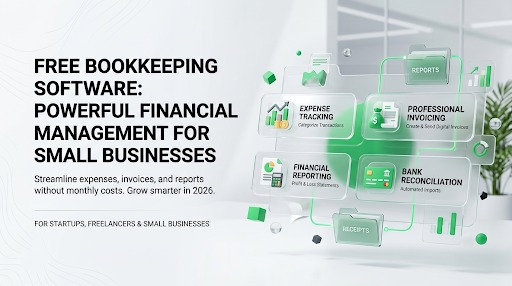
Free Bookkeeping Software
Running a business requires careful financial management, but investing in expensive accounting software isn’t always practical especially for startups, freelancers, and small businesses operating on tight budgets. Fortunately, free bookkeeping software has evolved significantly over the past few years, offering many of the same essential features found in premium accounting platforms. From tracking income and expenses to creating invoices and generating financial reports, these free solutions help business owners stay organized without adding another monthly expense.
Modern bookkeeping software goes far beyond simple spreadsheets. Many free platforms automatically categorize transactions, import bank data, generate professional invoices, and produce reports such as profit and loss statements, balance sheets, and cash flow summaries. Some even integrate with payment gateways, inventory systems, and tax tools, making it easier to manage everyday business operations from a single dashboard.
Choosing the right free bookkeeping software depends on your business size, industry, and future growth plans. While some applications focus on freelancers and sole proprietors, others offer enough functionality to support growing companies with multiple users and complex financial needs. This guide compares the best free bookkeeping software available in 2026, explains their strengths and limitations, and helps you select the ideal solution for your business.
What Is Free Bookkeeping Software?
Free bookkeeping software is a financial management application that allows businesses to record, organize, and monitor financial transactions without paying a subscription fee. These platforms help users manage daily bookkeeping tasks such as recording sales, tracking expenses, sending invoices, reconciling accounts, and generating financial reports. Depending on the software, users may access it through a web browser, desktop application, or mobile app.
Unlike traditional paper-based bookkeeping, digital bookkeeping software stores financial information electronically, reducing errors and making it easier to retrieve records whenever needed. Many cloud-based solutions automatically back up data, ensuring financial records remain secure even if a computer fails. Some desktop applications also allow users to maintain complete control over their financial data without requiring an internet connection.
Although free bookkeeping software often has limitations compared to paid accounting platforms, many products provide more than enough functionality for freelancers, startups, nonprofits, and small businesses. As business requirements grow, several providers also offer affordable premium plans that include advanced reporting, payroll, inventory management, automation, and multi-user collaboration.
Why Businesses Choose Free Bookkeeping Software
Every business aims to reduce costs while maintaining operational efficiency. Free bookkeeping software provides an excellent starting point by eliminating monthly subscription fees without sacrificing essential accounting functions. Entrepreneurs launching new ventures often prefer free solutions because they can invest saved money into marketing, product development, or hiring instead of software expenses.
Another reason businesses choose free bookkeeping software is ease of use. Most modern applications feature intuitive dashboards, guided setup processes, and automated bookkeeping tools that require little accounting knowledge. This enables business owners to manage finances independently while reducing reliance on manual spreadsheets. Many platforms also support mobile access, allowing users to issue invoices, upload receipts, and review financial reports from anywhere.
Perhaps the greatest benefit is scalability. Many free bookkeeping platforms offer paid upgrades with additional features, allowing businesses to continue using familiar software as they grow. Instead of migrating to a completely different system later, users can unlock advanced functionality only when necessary, making the transition smoother and more cost-effective.
Key Benefits
Free bookkeeping software offers numerous advantages beyond simply saving money. Business owners can organize financial records more efficiently, improve reporting accuracy, and reduce administrative workload through automation. Features such as recurring invoices, expense categorization, receipt scanning, and automated bank transaction imports simplify bookkeeping while minimizing human error.
Some of the most valuable benefits include:
- No monthly subscription costs
- Easy expense tracking
- Professional invoice creation
- Basic financial reporting
- Mobile access
- Automatic data backups (for cloud solutions)
- Improved financial organization
- Faster tax preparation
- Better cash flow visibility
- Easy upgrades as your business grows
These advantages make free bookkeeping software an excellent option for entrepreneurs seeking reliable financial management without significant upfront investment.
Limitations to Consider
While free bookkeeping software delivers impressive value, users should understand its limitations before making a decision. Many free plans restrict the number of users, invoices, customers, or financial transactions. Advanced features such as payroll, inventory management, project accounting, and detailed analytics are often reserved for paid subscriptions.
Customer support may also be more limited compared to premium software, with some providers offering only community forums or online documentation. Integration with third-party applications can also vary considerably between platforms. Businesses expecting rapid growth should evaluate whether upgrading within the same ecosystem will meet future requirements or if migration to another solution may eventually become necessary.
Essential Features to Look For
Not all free bookkeeping software provides the same capabilities, so comparing features carefully is essential. At a minimum, businesses should look for software that supports income and expense tracking, invoice creation, bank reconciliation, and financial reporting. These core functions form the foundation of effective bookkeeping and help maintain accurate financial records throughout the year.
Additional features such as receipt scanning, recurring invoices, tax tracking, mobile apps, multi-user access, and cloud synchronization can significantly improve productivity. Businesses selling physical products should also consider inventory management, while service-based companies may prioritize time tracking and project billing. Security is equally important, so look for encryption, regular backups, and multi-factor authentication where available.
Selecting software based on long-term business needs rather than immediate requirements often leads to better results. A solution that supports automation, integrations, and future expansion can save time, reduce bookkeeping errors, and eliminate the need for costly software changes as your business grows.
Best Free Bookkeeping Software in 2026
Wave
Wave is widely regarded as one of the best free bookkeeping platforms available for freelancers, sole proprietors, and small businesses. Its free plan includes income and expense tracking, professional invoicing, receipt management, and financial reporting without charging a monthly subscription fee. The clean interface makes it easy for users with little accounting experience to navigate the software and manage their finances efficiently.
One of Wave’s greatest strengths is its simplicity. Business owners can quickly create invoices, monitor cash flow, categorize expenses, and generate essential financial reports such as profit and loss statements and balance sheets. Automatic bank transaction imports reduce manual data entry, helping users maintain accurate financial records with minimal effort. For businesses that require online payment processing or payroll, optional paid services are available, allowing users to expand functionality as needed.
Wave is particularly well suited for freelancers, consultants, and startups that need reliable bookkeeping software without recurring software costs. While larger businesses may eventually require more advanced features, Wave provides exceptional value for organizations seeking a dependable free accounting solution.
Zoho Books Free Plan
Zoho Books offers a free plan designed specifically for eligible small businesses and sole proprietors, making it an attractive option for entrepreneurs seeking modern cloud-based bookkeeping software. Even its free version includes many features that competitors reserve for paid subscriptions, including invoicing, expense tracking, bank reconciliation, customer management, and financial reporting.
The platform also benefits from seamless integration with the broader Zoho ecosystem. Businesses using Zoho CRM, Zoho Inventory, or Zoho Projects can connect financial data across multiple applications, creating a unified business management environment. Automation features such as recurring invoices, payment reminders, and workflow rules help reduce manual bookkeeping tasks while improving operational efficiency.
Another advantage is Zoho Books’ intuitive mobile application, which enables users to send invoices, upload receipts, monitor business performance, and manage finances from virtually anywhere. For businesses planning future growth, upgrading to premium plans unlocks advanced inventory management, additional automation, and more comprehensive reporting without requiring migration to another accounting platform.
Free Bookkeeping Software (2026)
Akaunting
Akaunting is a popular open-source bookkeeping and accounting platform designed for freelancers, startups, and small businesses that want flexibility without subscription fees. Since it is open source, users can customize the software to match their specific business requirements. It is available as both a cloud-hosted solution and a self-hosted application, giving businesses complete control over how they manage their financial data.
The software includes essential bookkeeping features such as income and expense tracking, invoice creation, bill management, customer and vendor records, and financial reporting. Its clean dashboard provides a clear overview of cash flow, outstanding invoices, and business performance, making it easy for business owners to monitor their finances without advanced accounting knowledge.
One of Akaunting’s biggest strengths is its marketplace of extensions. Businesses can expand functionality by adding inventory management, payroll, project management, payment gateways, and CRM integrations as their operations grow. This modular approach allows users to start with a free bookkeeping solution and gradually add features only when needed. For businesses that value customization and ownership of their financial data, Akaunting is a compelling choice.
GnuCash
GnuCash is one of the oldest and most trusted free bookkeeping applications available. Unlike cloud-based accounting software, GnuCash is a desktop application that stores financial records locally, making it ideal for users who prefer complete control over their data. It supports Windows, macOS, and Linux, making it accessible to a wide range of users.
The software uses a double-entry accounting system, ensuring accurate financial records and reducing bookkeeping errors. It supports bank accounts, investments, budgeting, scheduled transactions, customer invoicing, vendor management, and comprehensive financial reports. These capabilities make GnuCash suitable not only for individuals but also for small businesses that require more advanced accounting functionality.
Although its interface is less modern than many cloud-based competitors, GnuCash compensates with reliability and powerful accounting features. Users who are comfortable with traditional accounting principles often appreciate its detailed reporting and flexibility. Businesses that do not require cloud collaboration and prefer offline bookkeeping will find GnuCash to be a dependable long-term solution.
Manager.io
Manager.io has become increasingly popular among small businesses because it offers a surprisingly comprehensive feature set at no cost for its desktop edition. The software supports invoicing, expense tracking, inventory management, bank reconciliation, purchase orders, sales orders, and detailed financial reporting, making it one of the most feature-rich free bookkeeping applications available.
A major advantage of Manager.io is that businesses can continue using the free desktop version indefinitely without worrying about subscription fees. For organizations that require cloud access or collaboration across multiple users, paid cloud and server editions are available. This flexible licensing model allows businesses to choose the deployment option that best fits their operational needs.
The software’s straightforward interface makes navigation relatively simple despite its extensive capabilities. Businesses that manage inventory or require more advanced bookkeeping functions than many free cloud platforms provide often find Manager.io to be an excellent alternative. Its scalability also makes it suitable for companies expecting steady growth over time.
Odoo Community
Odoo Community is the free, open-source edition of the broader Odoo business management platform. While many businesses recognize Odoo for its enterprise resource planning (ERP) capabilities, the Community edition also includes valuable bookkeeping and accounting tools that can support small and medium-sized organizations.
One of Odoo Community’s greatest strengths is integration. Businesses can connect accounting with inventory, sales, purchasing, manufacturing, customer relationship management, and project management within a single ecosystem. This eliminates duplicated data entry and creates a more efficient workflow across departments. As business requirements become more complex, additional modules can be implemented without switching to an entirely new software platform.
Although setup and customization may require more technical knowledge than some beginner-friendly bookkeeping applications, Odoo Community offers exceptional flexibility. Businesses with unique workflows or long-term expansion plans often appreciate its modular architecture and open-source nature. For organizations seeking more than simple bookkeeping, Odoo Community provides a powerful foundation for managing multiple aspects of business operations.
Feature Comparison Table
| Software | Best For | Cloud-Based | Invoicing | Expense Tracking | Financial Reports | Inventory | Mobile App | Open Source |
|---|---|---|---|---|---|---|---|---|
| Wave | Freelancers & Startups | Yes | ✔ | ✔ | ✔ | Limited | ✔ | No |
| Zoho Books Free | Small Businesses | Yes | ✔ | ✔ | ✔ | Limited | ✔ | No |
| Akaunting | Growing Businesses | Yes | ✔ | ✔ | ✔ | Add-ons | ✔ | Yes |
| GnuCash | Offline Bookkeeping | No | ✔ | ✔ | ✔ | No | No | Yes |
| Manager.io | Small Businesses | Desktop/Cloud | ✔ | ✔ | ✔ | ✔ | Limited | No |
| Odoo Community | Expanding Companies | Yes | ✔ | ✔ | ✔ | ✔ | Limited | Yes |
Pricing Considerations
Although the software covered in this guide offers free bookkeeping capabilities, businesses should still evaluate the total cost of ownership. Some platforms generate revenue through optional services such as payroll processing, payment gateways, premium support, cloud hosting, or advanced automation. Others provide free desktop applications while charging for cloud synchronization or multi-user collaboration.
It is also important to consider indirect costs. Software that lacks automation may require additional manual bookkeeping, increasing the time spent managing finances. Similarly, limited integrations with banking or payment systems can create duplicate work and reduce efficiency. Businesses should compare not only subscription costs but also productivity gains, available support, future upgrade options, and ease of implementation.
Free software is often the ideal starting point, but organizations anticipating rapid growth should verify that upgrading to premium plans or enterprise editions will meet future requirements. Choosing a scalable platform today can prevent disruptive software migrations later.
How to Choose the Right Free Bookkeeping Software
The best bookkeeping software depends on the nature of your business. Freelancers and consultants generally benefit from platforms with excellent invoicing and expense tracking, while retailers may prioritize inventory management. Service-based businesses often value time tracking, recurring billing, and client management, whereas nonprofits may focus on budgeting and detailed financial reporting.
Ease of use should be another deciding factor. Software with an intuitive interface and guided setup allows business owners to begin managing finances quickly without extensive accounting knowledge. Customer support, documentation, security, mobile accessibility, and integration with banking systems or other business tools should also influence your decision.
Before committing to any platform, create a checklist of your essential requirements. Test several options, import sample transactions, generate reports, and evaluate how each solution fits your daily workflow. Investing time in this comparison process increases the likelihood of selecting bookkeeping software that supports your business both today and as it grows.
Common Mistakes to Avoid When Choosing Free Bookkeeping Software
Selecting free bookkeeping software simply because it costs nothing can lead to problems later if the platform doesn’t meet your business requirements. One of the most common mistakes is focusing only on price while ignoring functionality. A free solution that lacks invoicing, bank reconciliation, financial reporting, or integration with your existing business tools may end up costing more in time and productivity than a reasonably priced premium alternative. Before choosing any software, identify the features your business relies on every day and ensure the platform can support them effectively.
Another mistake is failing to consider future business growth. A bookkeeping system that works well for a freelancer may struggle to meet the needs of a growing company with multiple employees, increasing transaction volumes, or inventory management requirements. Migrating financial data from one system to another can be time-consuming and may introduce errors if not handled carefully. Choosing software with clear upgrade paths or scalable features helps avoid unnecessary disruptions as your business expands.
Many business owners also overlook security and data backup. Financial records contain sensitive information that should be protected through encryption, secure authentication, and regular backups. Cloud-based platforms typically provide automatic backups and security updates, while desktop applications may require users to create their own backup routines. Businesses should also review customer support options, software update frequency, and the availability of educational resources before making a final decision. Taking a strategic approach to software selection ensures your bookkeeping system remains reliable, secure, and capable of supporting long-term business success.
Conclusion
Free bookkeeping software has become an excellent solution for freelancers, startups, nonprofits, and small businesses looking to manage their finances without investing in expensive accounting systems. Today’s free platforms provide much more than basic income and expense tracking. Many include professional invoicing, bank reconciliation, financial reporting, receipt management, and automation tools that simplify bookkeeping while improving financial accuracy. These capabilities allow business owners to spend less time on administrative work and more time growing their businesses.
Each software option serves a different audience. Wave is an outstanding choice for freelancers and startups seeking an intuitive cloud-based platform with essential accounting features. Zoho Books Free offers excellent automation and integrates seamlessly with the wider Zoho ecosystem, making it ideal for businesses already using Zoho applications. Akaunting provides flexibility through its open-source architecture and extensive marketplace of add-ons. GnuCash remains a dependable desktop solution for users who prefer offline bookkeeping and complete control over their financial data. Manager.io stands out with its rich feature set, including inventory management, while Odoo Community offers a scalable foundation for businesses that need accounting integrated with broader business management tools.
The best bookkeeping software is the one that aligns with your current needs while supporting future growth. Rather than choosing solely based on cost, evaluate ease of use, available features, security, customer support, integration capabilities, and scalability. Testing a few different platforms before committing will help you identify the solution that fits your workflow and business goals. With the right free bookkeeping software, you can maintain organized financial records, improve cash flow visibility, simplify tax preparation, and build a stronger financial foundation for long-term success.
Frequently Asked Questions
1. What is the best free bookkeeping software for small businesses?
The best option depends on your business needs. Wave is ideal for freelancers and small businesses seeking a user-friendly cloud solution, while Zoho Books Free offers strong automation and integration features. Businesses requiring offline bookkeeping may prefer GnuCash, whereas Manager.io is well suited for companies needing advanced bookkeeping features without subscription costs.
2. Is free bookkeeping software safe to use?
Yes, reputable bookkeeping software is generally safe when proper security measures are in place. Cloud-based providers typically use data encryption, secure servers, automatic backups, and multi-factor authentication to protect financial information. Desktop applications are also secure when users regularly update the software and maintain reliable backups of their data.
3. Can free bookkeeping software generate financial reports?
Most free bookkeeping platforms can generate essential financial reports, including Profit and Loss Statements, Balance Sheets, Cash Flow Reports, and Expense Summaries. The number and complexity of available reports may vary depending on the software.
4. Can I upgrade from free bookkeeping software later?
Yes. Many providers offer premium plans with advanced features such as payroll, inventory management, project accounting, automation, multi-user access, and additional integrations. Upgrading within the same platform is usually easier than migrating to entirely different software.
5. Who should use free bookkeeping software?
Free bookkeeping software is ideal for freelancers, consultants, startups, sole proprietors, nonprofits, and small businesses with straightforward accounting needs. As businesses grow and require more advanced features, they can upgrade to paid plans while keeping their existing financial records.